
You snapped the perfect shot at a weekend market in Lyon, a festival in Berlin, or a quiet canal moment in Amsterdam, then you posted it and watched it disappear into the feed without a single comment. It is a frustrating experience that millions of young Europeans share every week. The fix is not some secret algorithm trick. It comes down to knowing the right technical specs, building a clean workflow, protecting your privacy, and timing your posts with intention. This guide walks you through every step, from the moment you take the shot to the moment your audience actually engages with it.
Table of Contents
- Get ready: what you need to post like a pro
- Step-by-step process: from snap to standout post
- Stay safe: protect your privacy and respect others
- Timing and feed diversity: maximize visibility and engagement
- What most guides miss: why mechanics and privacy should be your default
- Let your social photos go further with Experience.eu
- Frequently asked questions
Key Takeaways
| Point | Details |
|---|---|
| Follow platform specs | Using the right aspect ratio and pixel size keeps your photo sharp and uncropped in feeds. |
| Lead with your hook | Put the main message or call-to-action in the first 125 caption characters for visibility. |
| Control your privacy | Review privacy settings and always get permission, especially with posts featuring people. |
| Experiment with timing | Test posting schedules and formats to see what gets the most engagement with your audience. |
| Mix post formats | Alternate between carousels, singles, and stories to keep your feed interesting and audiences engaged. |
Get ready: what you need to post like a pro
Before you upload anything, you need to set yourself up properly. The biggest reason great photos underperform on social media is not the content itself. It is bad technical preparation. Blurry crops, stretched aspect ratios, and missing privacy checks all happen before you even write your caption.
A practical way to post social photos is to first follow platform-native technical specs (especially aspect ratio and pixel size), then apply light edits for feed clarity before publishing. This one principle alone will prevent the most common posting mistakes.
Here are the core specs you need to know for the most widely used platforms:
| Format | ||
|---|---|---|
| Square photo | 1080 x 1080 px (1:1) | 1200 x 1200 px (1:1) |
| Portrait photo | 1080 x 1350 px (4:5) | 1080 x 1350 px (4:5) |
| Story/Reel | 1080 x 1920 px (9:16) | 1080 x 1920 px (9:16) |
| Landscape photo | 1080 x 566 px (1.91:1) | 1200 x 630 px (1.91:1) |
Mobile-first vertical formats (4:5 or 9:16) now dominate feed engagement because they fill more of a phone screen. If you are sharing a cultural experience or a personal moment, vertical framing gives your image more visual real estate and keeps viewers from scrolling past.
Before you even think about image size optimizing, do a quick privacy pre-check. Here is what typically goes public when you post:
- Your photo itself, including any visible faces, landmarks, or text in the background
- Your caption and any hashtags you include
- Location tags and geotags embedded in the image file
- The timestamp and platform metadata linked to your account
You should also do profile privacy checks before publishing anything new. Many users forget that older posts and bio details can still be indexed publicly even when they adjust newer settings.
On the creative side, you do not need advanced editing skills. Light adjustments, brightness, contrast, and a slight crop, make a significant difference in how your photo reads on a small mobile screen. A clean and well-framed image will always outperform a heavily filtered one.
Pro Tip: Always save and edit your photos at the highest resolution your phone supports before exporting them for social. Compressing a low-resolution image never improves quality, but starting from a high-resolution file gives you flexibility when cropping for different formats. You can also connect with others who share your passion by joining photo communities where members regularly share format tips and feedback.
Step-by-step process: from snap to standout post
With your tools and specs in hand, here is how to turn any photo into a post that gets noticed. A mechanics-first workflow (specs, framing and crop, light edits, caption hook, and format choice) tends to outperform post-ready vibes because many social platforms aggressively crop and transform images for feed display. Skipping this order is how good photos end up looking mediocre in the feed.
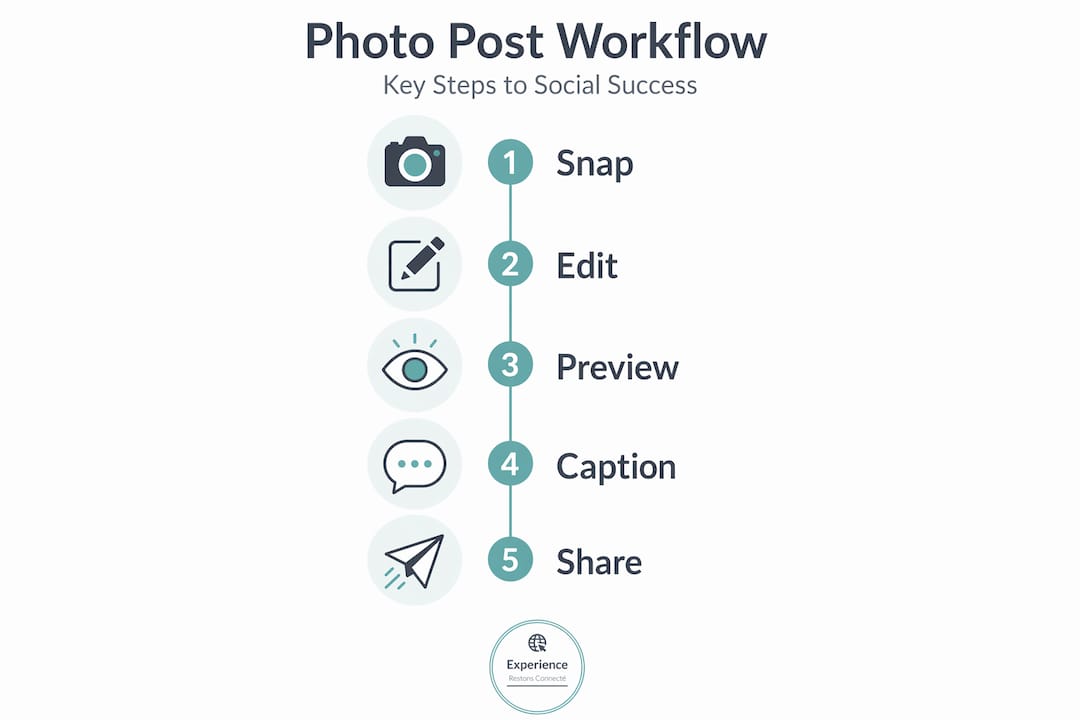
Follow these five steps every time you prepare a post:
- Technical prep: Check your image resolution and export it at the correct pixel width for the platform you are using. For Instagram, that means 1080 pixels wide as a baseline.
- Frame and crop: Crop to your target aspect ratio before editing anything else. Cropping after editing can shift your lighting balance and ruin adjustments you already made.
- Apply light edits: Adjust brightness and contrast gently. Boost clarity slightly if the image looks soft. Avoid heavy filters that distort natural colors, especially important when capturing cultural scenes where authenticity matters.
- Write your caption: Captions perform best when the hook appears early because only a portion of the text shows before users tap to expand. Your first 125 characters need to contain your main message, question, or call to action. Do not bury the interesting part at the bottom.
- Choose your format: Decide whether a single image, a carousel, or a story best fits what you want to share. A single stunning shot stands alone. A carousel tells a sequence. A story disappears after 24 hours, which is useful for casual or time-sensitive content.
You can also explore visual content best practices that professionals use to plan their posts visually before uploading. It is a smarter habit than improvising at the last minute.
Here is a quick format comparison to help you decide:
| Format | Best use case | Engagement style |
|---|---|---|
| Single image | One striking moment or scene | Likes and quick comments |
| Carousel | Tutorials, travel sequences, event recaps | Saves, swipes, and higher time-on-post |
| Story | Casual updates, polls, quick reactions | Views and direct messages |
| Reel/Short video | Dynamic experiences, movement, highlights | Shares and discovery reach |
For photos that tell a story, carousels are often the most powerful format. They let you build a visual narrative across multiple frames, which is perfect for documenting a cultural event, a city trip, or a community gathering.
Pro Tip: Before you hit publish, preview your draft inside the app itself. Every major platform shows a preview of how your post will appear in the feed. This is the fastest way to catch unwanted crops, cut-off text, or formatting errors that you would otherwise only notice after uploading.
It is also worth writing captions that hook your audience immediately. A strong first line is often the difference between a user pausing and a user scrolling.
Stay safe: protect your privacy and respect others
You have a great photo prepared and a solid caption written. Now comes the part most guides rush past. Your post can travel much further than you intend, and you need to understand exactly what that means before you share anything publicly.
The core principle, especially for young adults in Europe, is this: what you publish online generally loses privacy. You must explicitly manage who can see your posts and stories, because default settings are rarely as private as users assume.
Privacy principle: Once a photo is public, you cannot fully control where it goes. Screenshots, reposts, and third-party tools can copy your image in seconds. Always post with the assumption that your image could be seen by anyone.
Here are the main controls you should set and check before every post:
- Audience selector: Make sure your post-audience is set to "Friends," "Followers," or a custom list, rather than "Public," unless you specifically want maximum reach.
- Story privacy: Stories can be seen by people who are not followers on some platforms, so double-check the visibility settings each time.
- Location metadata: Many phones embed GPS coordinates inside image files (known as EXIF data). Strip this data before uploading if you do not want to broadcast your exact location.
- Tagging controls: Disable automatic location suggestions and review-before-tag options in your account settings to avoid being placed in public locations without your knowledge.
There is also a very important legal dimension for users in Europe. Photographing and posting people (including minors) can raise GDPR issues because identifiable photographs are personal data and may require a valid legal basis or consent. This means that posting a group photo from a party, a street scene with recognizable faces, or any image of a child without parental consent could expose you to a real legal problem under European data protection law.
The safest rule is simple: ask before you post. If someone appears clearly in your photo, get their verbal or written agreement. For children, you must get permission from a parent or guardian. This is not just legal compliance. It is also respectful and builds trust within your social community.
Use these profile safety tips and review the legal posting guidelines to understand the full picture of what responsible posting looks like.
Check what information is visible on your public vs private info settings to get a clear sense of what any stranger can currently see when they visit your profile.
Timing and feed diversity: maximize visibility and engagement
Posting is not just about the image. It is also about when and how you share for standout impact. One of the most repeated pieces of advice online is that there is a single best time to post for maximum engagement. That idea is largely a myth.
The reality, as established marketing platforms confirm, is that the best posting time is not universal. It depends entirely on your specific audience, your time zone, and the habits of the people who follow you. The most useful thing you can do is post consistently, track your own analytics, and adjust based on what you actually observe. Generic timing charts are a starting point, not a rule.
What is not a myth is the mobile factor. 83% of social media browsing happens on mobile devices. This means that your timing strategy must account for when people are on their phones, typically during commute hours, lunch breaks, and evenings, rather than during a standard workday desktop session.
Here are practical ways to diversify your posting approach and prevent follower fatigue:
- Mix your formats: Rotate between single images, carousels, and stories throughout the week. A feed that is all single photos becomes predictable. Variety keeps your profile interesting and reaches different content preferences.
- Test posting windows: Try posting the same style of content at different times on different days for two or three weeks. Compare the engagement numbers. Your data will tell you far more than any generic guide.
- Use stories for off-peak experimentation: Stories are lower-stakes than feed posts. Use them to test reactions to new content ideas, captions, or themes before committing to a full feed post.
- Leverage weekends for cultural content: Experience-based photos (festivals, travel, food culture) often perform better on weekends when followers are in a leisure mindset and more likely to engage emotionally.
Check out these timing engagement tips and learn about carousel best practices to get more specific guidance for each format. Use post formats strategically: carousels work well for tutorials and sequencing, and mixing formats helps you avoid a repetitive feed that loses followers over time.
What most guides miss: why mechanics and privacy should be your default
Here is an honest take after watching thousands of social posts succeed and fail. Most guides online focus on aesthetics, branding, and curating a "vibe." That advice can be useful, but it is not what separates posts that consistently perform from those that get lost.
The real differentiators are mechanics and privacy settings. Getting your specs right every single time prevents the quiet failures that no one talks about: the portrait that gets cropped into a square at the wrong moment, the location tag that reveals where you live, the group photo that causes a falling out because someone did not want to be tagged.
Even if your account is private, profile metadata like your profile picture and bio can remain visible to anyone. So you should audit what stays public and avoid sharing sensitive context like your location or identifying information automatically. Most users set privacy settings once and never revisit them, which means that platform updates can quietly change what is and is not visible without you realizing it.
The mechanics-first approach also protects you from accidental rule-breaking. GDPR compliance is not a concern just for businesses. Young adults sharing photos of friends, events, and public spaces in Europe are responsible for the data they publish. Treating every post as a publishing decision, rather than a casual moment, is the mindset shift that changes everything.
Pro Tip: Audit your public profile every quarter. Open your own profile in a private or incognito browser window to see exactly what a non-follower would see. Check your bio optimization for privacy to make sure your contact info, location, and identifying details are not sitting there for anyone to read.
The most effective social posters you will find are not necessarily the most creative. They are consistent, technically precise, and deliberately protective of their own and others' privacy. Those habits build a sustainable presence that grows without setbacks.
Let your social photos go further with Experience.eu
You now have a full toolkit: specs, workflow, safety habits, and timing strategy. The next step is putting it all into practice somewhere that is built for exactly this kind of sharing.
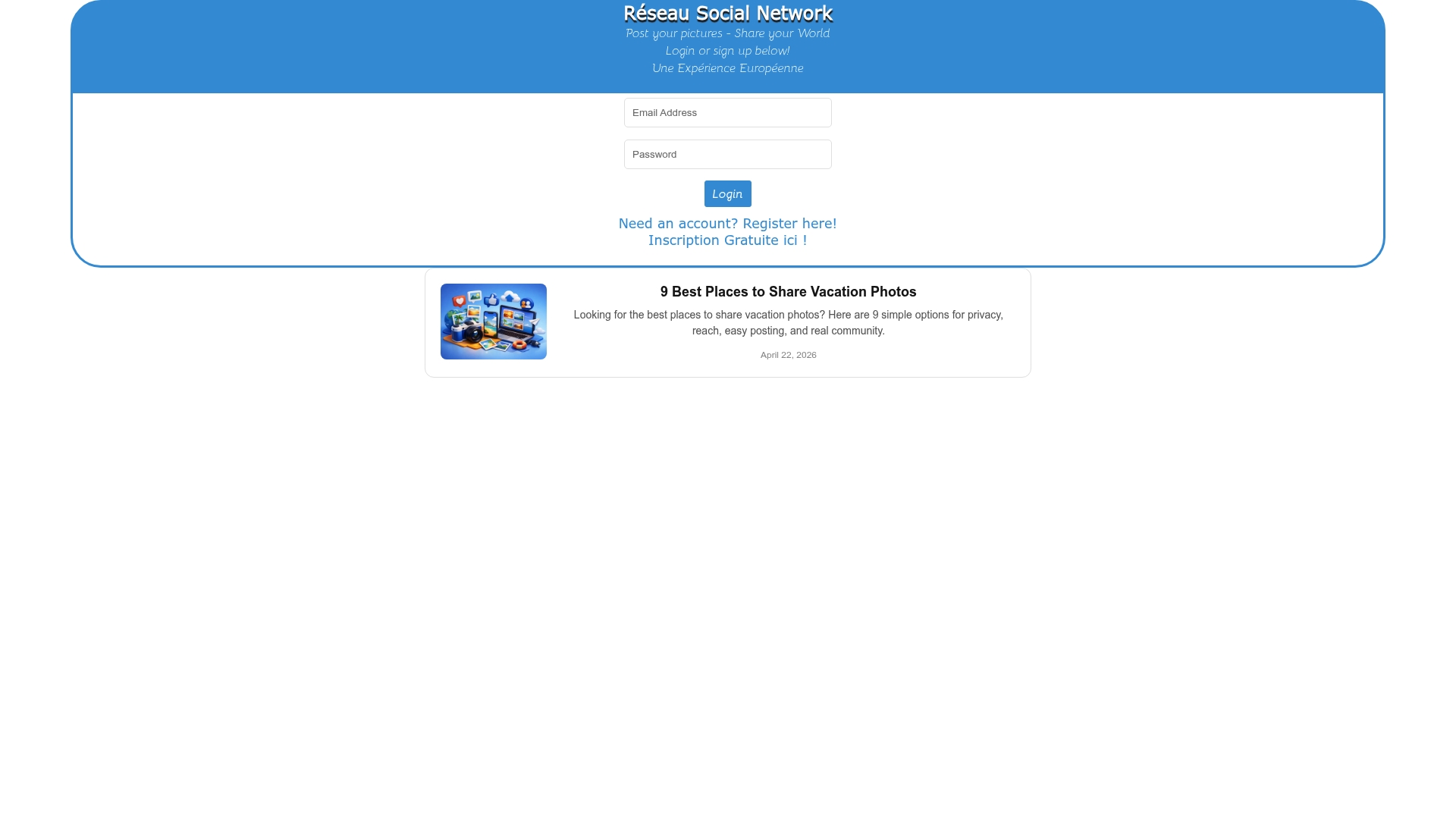
Experience.eu is a European social platform designed for sharing personal and cultural experiences through photos. Whether you are documenting a local festival, a weekend trip, or a moment of everyday life across Europe, it offers the right community and tools to support your growth. Visit the Experience.eu home to get started, explore resources to grow engagement, and find community management resources that help you build a real, active audience. Sign up for free and start sharing your story where it belongs.
Frequently asked questions
What is the ideal photo size and aspect ratio for Instagram or Facebook in 2026?
Aim for 1080 pixels wide and a 4:5 or 9:16 aspect ratio on Instagram, and stick to vertical or square for mobile-first browsing on both platforms.
Can I post photos of friends or children without asking them first?
No. GDPR treats identifiable photos as personal data, and consent (especially for minors) is required in European countries before you post.
How long should a caption be for the best engagement?
Keep your key hook or call-to-action within the first 125 characters of your caption because users may not see anything beyond that unless they tap to expand.
Is there a universal best time to post photos for the most likes or comments?
No. Each audience behaves differently, and the best time to post is something you discover by experimenting and tracking your own results rather than following a generic chart.
How do I keep my profile information private when sharing social photos?
Check your privacy settings regularly and audit what profile info stays public, since some details remain visible even on private accounts after platform updates.